Hands-free voice
for your coding agent.
Talk to Claude Code, Codex, Antigravity, Ollama, Aider, or Google Gemini CLI directly from your phone. Multi-client live WebSocket sync keeps turns, tool approvals, and git diffs in real-time sync across your devices.
A seamless bridge between you and your code.
A tiny Node bridge drives CLI agents on your machine and streams everything to your phone, with browser voice or local Whisper streaming STT.
Type or Speak
Use the chat interface to type, or tap the mic to speak. The agent's replies are formatted with rich markdown and read aloud sentence-by-sentence.
6 Coding Agents
Switch seamlessly between Claude Code, Codex, Antigravity, Ollama (fully local), Aider, and Gemini CLI. Each has configurable autonomy modes.
Full-Duplex Live Sync
Real-time WebSocket hub (/ws) syncs turns, streaming deltas, and tool approvals across multiple devices simultaneously.
Interactive Tool Approvals
Review and Approve or Reject shell commands and tool executions directly from interactive cards in chat and Talking Mode.
Git Diff Viewer Drawer
Inspect modified workspace files and review syntax-highlighted git diffs right from your phone's sliding drawer.
Talking Mode & VAD
Hands-free voice loop with WebAudio Voice Activity Detection (VAD) for dynamic silence detection and auto-commit.
MediaSession Controls
Control conversations from your lock screen, Apple Watch, or Bluetooth headset with background audio keepalive.
Transcript Export
Export any session transcript to Markdown (.md) or JSON (.json) via the native share sheet or instant file download.
Private by Default
Everything runs over your private Tailscale network via HTTPS. Your codebase never touches a third-party voice cloud.
Desktop Host App
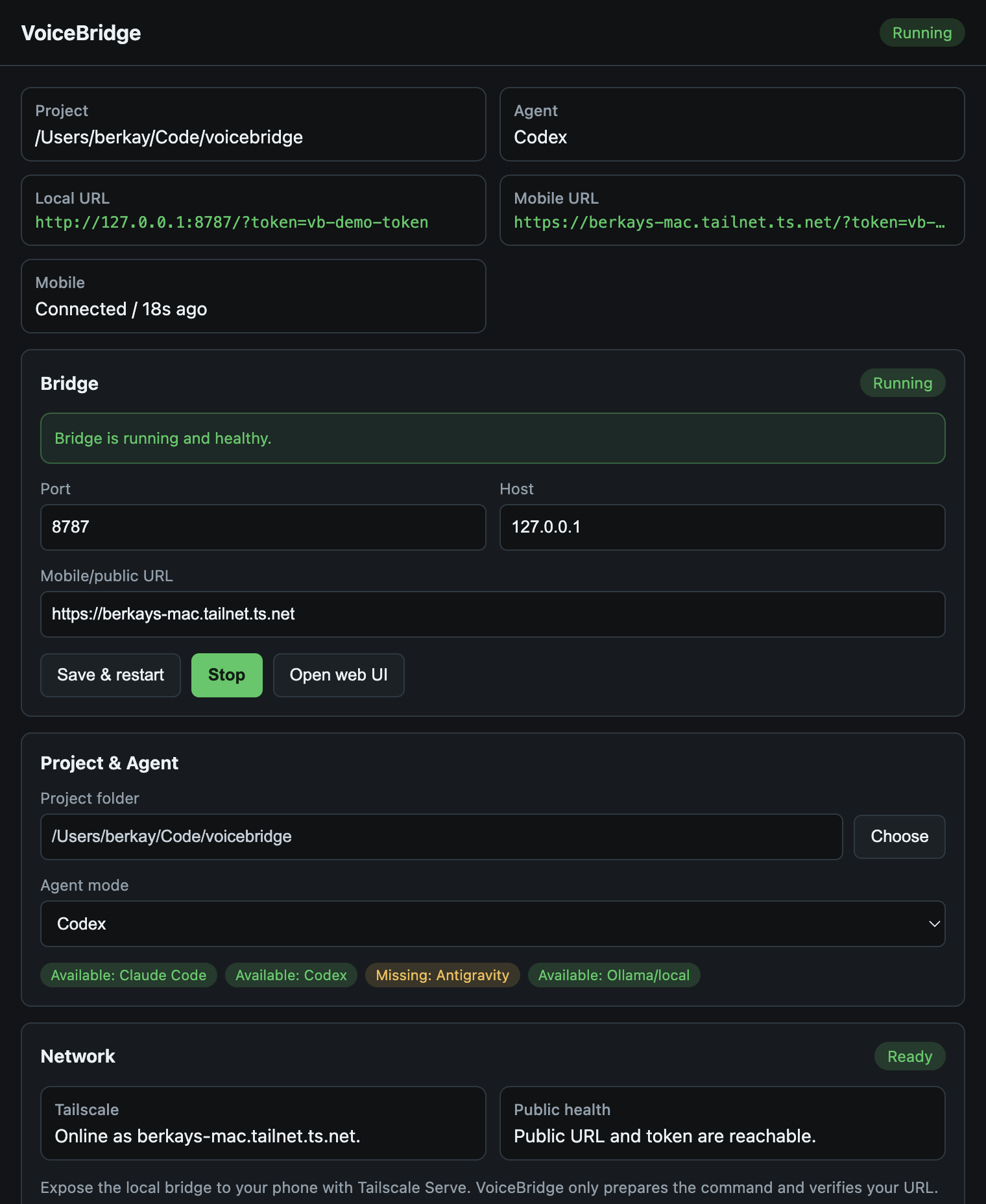
Install the Mac DMG or Windows preview build, choose one workspace, verify Tailscale, and pair your phone with a QR scan.
Phone in, agent out.
Your phone handles the voice layer, while the heavy lifting (the CLI) stays on your Mac or PC.
Use the desktop app, or run from source.
The desktop app is the easiest host setup. The terminal flow stays available for developers who want full control.
Desktop host app
Install the Mac DMG or Windows preview installer, select your project folder and agent, copy the Tailscale Serve command, verify the public URL, then scan the pairing QR from the mobile app.
Setup steps
git clone https://github.com/berkayturanci/voicebridge voicebridge
cd voicebridge && npm install

# Optional: Set up your environment (PROJECT_DIR, ACCESS_TOKEN)
cp .env.example .env

# Start the server (prints a QR code)
npm start

# In a new terminal tab: Expose securely to your phone
tailscale serve --bg http://127.0.0.1:8787
Tip: the desktop Network panel now distinguishes missing Tailscale, logged-out state, DNS/network failure, HTTP status, timeout, and token mismatch.